

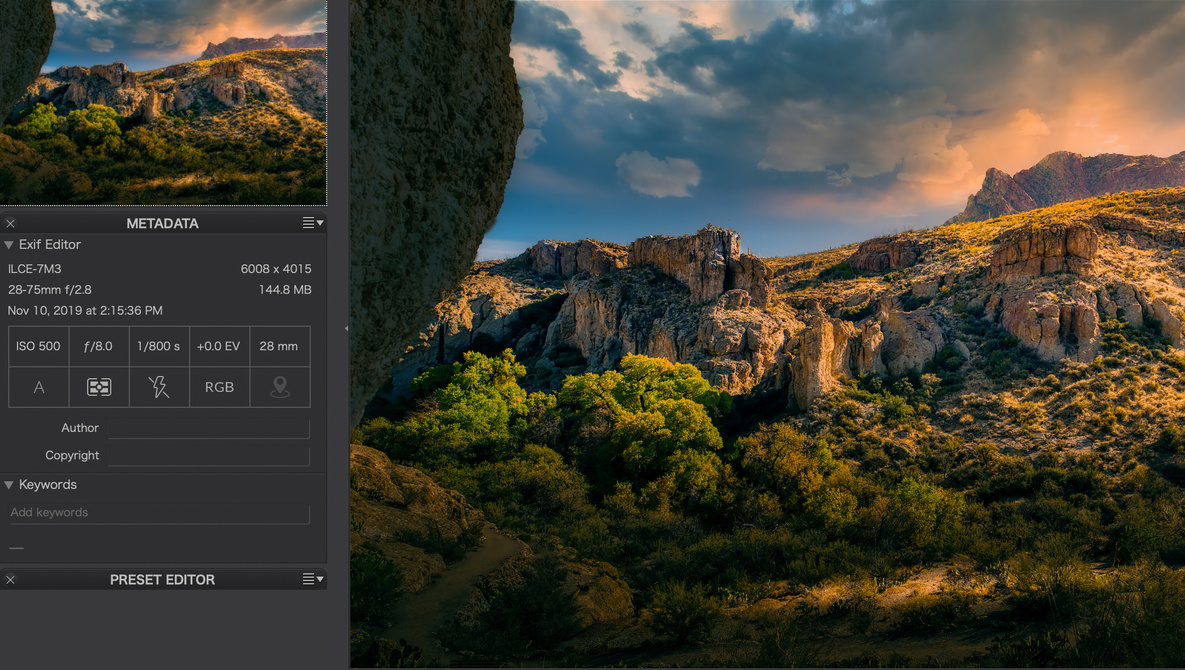
Photolab 3.1 from DXO has been out a couple of months now, and early looks from photographers have been positive. It’s a complete raw editor and has many features photographers will expect to see and adds some very worthwhile enhancements that will highly interest editors at every skill level.
We took a look at the first offering of Photolab back in 2007. It was a capable program then, with lots of room to grow, and grow it has, turning more and more heads of photographers looking for alternatives to the Adobe suite of tools.
What Is Photolab 3.1?
Photlab 3.1 from DxO is essentially a raw editor, living in a similar space to Lightroom, Luminar 4, On1, Capture One, and Affinity Photo, to name the most prominent editors. While generally, all these programs encompass the major features of king of the hill Lightroom, they all offer some unique features that Lightroom doesn’t offer. This latest version of Photolab has evolved in several ways.
PhotoLab 3 introduced the DxO ColorWheel, an innovative and visual-based approach to color management, optimized the repair tool, and created a new Local Adjustment Mask Manager. In addition to the search criteria that are already available in the DxO PhotoLibrary (metadata, shooting parameters, folders, etc.), DxO PhotoLab 3.1 has now added keyword management, which was previously only available in its macOS version, to its Windows version. This feature lets photographers add, delete, or rename keywords assigned to one or several images simultaneously. Users can also display keywords associated with an image, including images imported from other XMP-compatible software, and add them to multi-criteria searches.

Support for the Latest Camera Models
DxO engineers added support for the major camera models released at the end of 2019. PhotoLab 3.1 now supports the Canon EOS 90D, EOS M6 Mark II and EOS M200, Fuji GFX 100, Nikon Z50, Olympus E-M5 Mark III, as well as the Sony a6600 and a6100. The software also offers preliminary support for the Sony a9 II. More than 3,000 optical modules have also been added to the database, which now includes over 55,000 different camera/lens combinations. These include the recent Canon RF 15-35mm f/2.8L IS USM and RF 24-70mm f/2.8L IS USM, the Fujinon GFÂ 50mm f/3.5 R LM WR and GF110mm f/2 R LM WR, the Nikkor Z 85mm f/1.8 S, the Sony E 16-55mm f/2.8 G, and the Tamron 17-28mm f/2.8 Di III RXD for Sony FE. Through the high-quality raw conversion technology included in DxO PhotoLab 3 and DxO’s scientific calibration process, the photos taken with these devices will be automatically corrected for any faults in their lenses, such as distortion, vignetting, chromatic aberrations, and a lack of sharpness. In all, Dxo supports more than 42,000 lens and sensor combinations.
Using the Software
I’m mightily impressed to how this software has evolved. As DxO has long been the leader in software for optical testing, it’s nice to see that expertise fully bloom in this editing software. When you first open an image, Photolab 3.1 looks at your image metadata and automatically adjusts lens parameters that goes far beyond what I see in other software. The fixes are obvious to the eye, and there is a convenient before and after button to see what Photolab 3.1 has accomplished.
Opening the same image is Lightroom and Photolab shows a readily visible quality increase, especially in sharpness. That’s with correction on in both the Adobe software and Photolab. The software readily identified my camera as a Sony a7 III and recognized my two Tamron lenses and my Rokinon wide angle lens.
The screen layout and GUI are likely an acquired taste. I’m so used to the Adobe way of doing things, with all its quirks, that Photolab seemed even quirkier, but after editing a few images, I began to prefer the way Photolab does things.
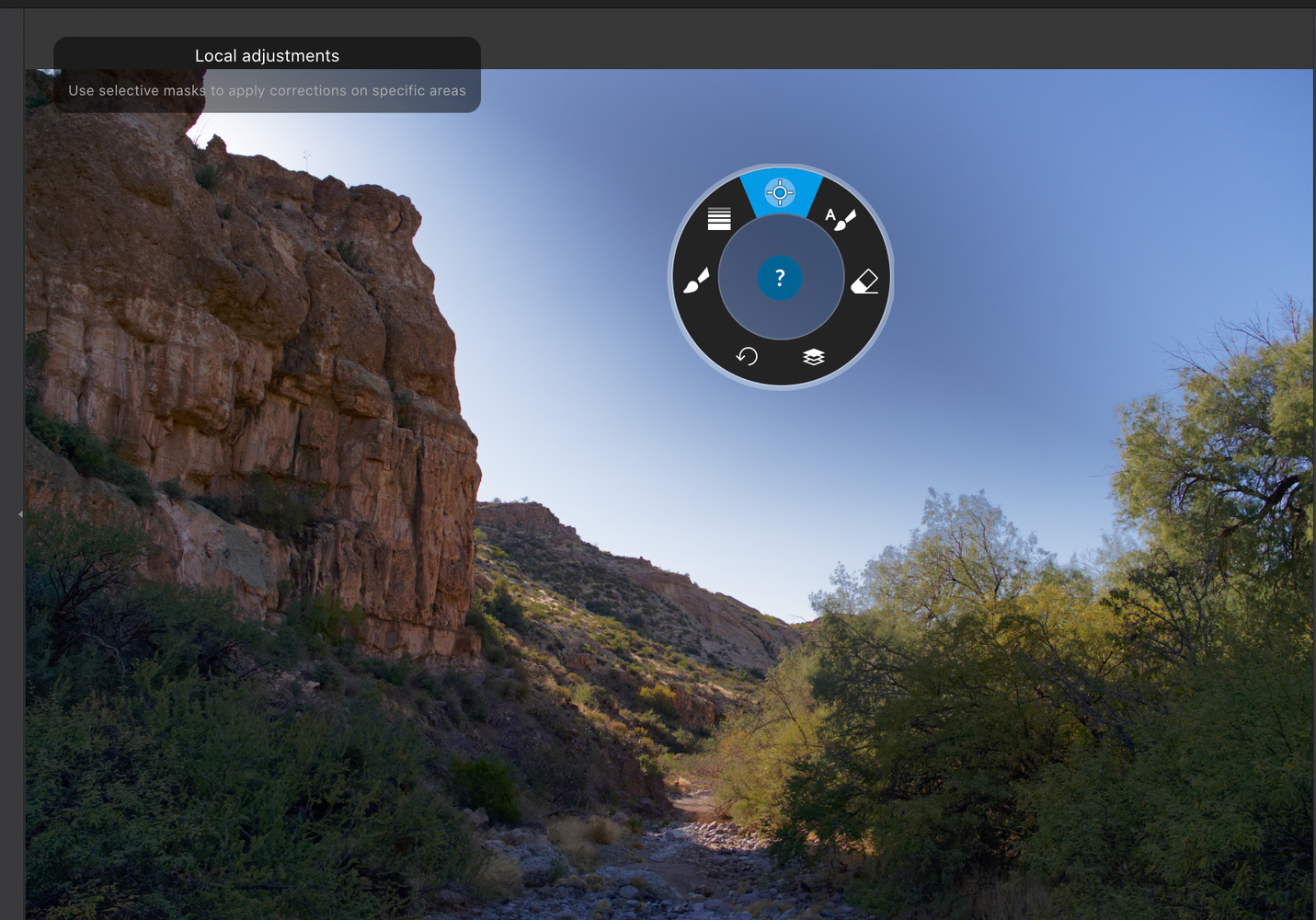 Local adjustments are very powerful, and a new on-screen controller makes the process intuitive after you get used to it. I found repair tools comparable to what Adobe offers, and the repairs seemed as effective and invisible.
DxO continues to use U Point technology, something that has survived from the early days of NIK tools, which DxO has purchased and enhanced. U Point technology is a smart selection tool that makes it easy to select a point of interest and add a Control Point. DxO PhotoLab intuits what you want and automatically and intelligently extends your selection to areas that share the same characteristics within an adjustable radius.
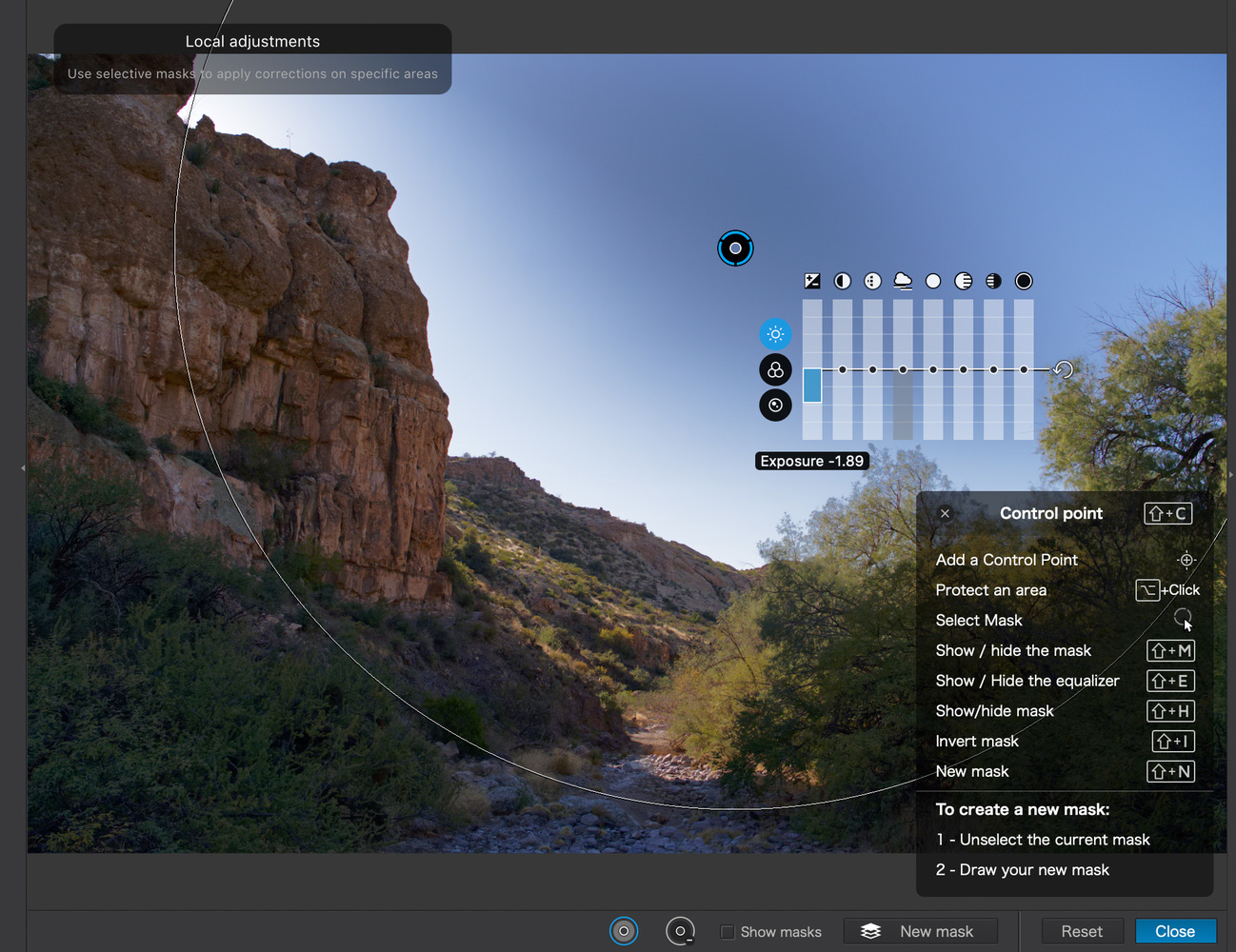
The tool works really well and fits into my workflow very nicely, and as the tool evolved, more adjustable parameters have been added.
Is Photolab 3.1 an Adobe Replacement?
I think it can be for some photographers. As all these software challengers improve, Lightroom and Photoshop seem diminished in some capabilities by comparison. I’m not yet ready to abandon Adobe, even though I truly dislike the subscription model and their inferior customer support.
Photolab can coexist nicely with Lightroom, and you can seamlessly move between the programs. Adobe still leads with its plug-in architecture. In my work, there are some plug-ins I simply must have, and there’s really no support in Photolab for them. Maybe someday.
Photolab does support its own plug-ins, notably the NIK tools plug-ins, which are powerful and useful. In general, I could get along nicely with the combination of Photolab and the NIK tools, leaving behind Lightroom and Photoshop. I’d still want Luminar 4.1 for some editing, so I could not completely cut myself off from other editing tools.
Still, I’m really impressed with Photolab 3.1. It can take on a lot of the work I do in Lightroom and Photoshop, and its lens correction capabilities are best in class. Color controls are excellent and comprehensive. Photolab offers a library module, but frankly, I’m not enamored with it or Adobe’s. I keep it simple and use Adobe Bridge. Photolab has dozens of presets. I’m not sure most photographers would use them, wanting to use their own techniques rather than the canned ones, but I realize presets are all over photography apps and DxO wants to be feature competitive. Of course, no one is forced to use them.
I can’t go over every feature Photolab brings to the table in even a moderate size review, so I urge you to head on over to the DxO website and see how the Photolab feature set stacks up against your requirements.
What I Like
- First-class corrections of optical issues in lenses
- Intuitive GUI with some practice
- A broad feature set including masking, local adjustments, repair, and cloning
- Compressive online help with links to video tutorials
- Support for the NIK suite of tools
What I Would Like to See:
- Third party plug-in support
DxO Photolab probably doesn’t jump to mind if you are looking to explore new raw editors, but it is certainly a powerful and well thought-out tool deserving of serious consideration. I found it a pleasure to use, and for many of my editing tasks, it was equal to or better than my Lightroom/Photoshop workflow.
Photolab 3.1 comes in two versions, an essential and an elite application. In addition to all of the features of the Essential Edition, DxO PhotoLab Elite Edition includes advanced image-processing features such as denoising technology, color management, and output formats. It also offers more possibilities for customizing your workspace.
The Essential Edition is $129 and the Elite Edition is $199. There is upgrade pricing for previous users of the software.