

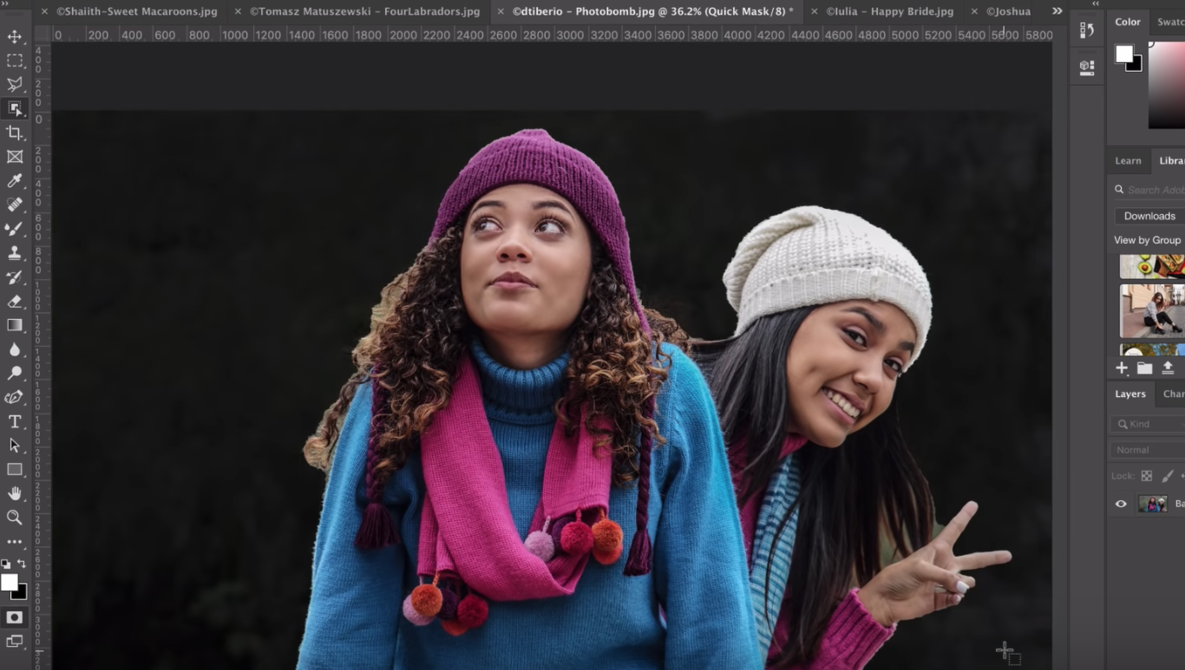
Photoshop’s Magic Wand and Quick Selection tools are getting an upgrade. The new Object Selection tool is a “powerful AI-powered solution” that helps make complicated selections simple, merely by clicking and dragging. See exactly how effective it is in this newly released video from Adobe.
The two-minute clip illustrates the powers of the new tool. So confident is Adobe about their new development, they decided to make it the default/top tool of the Quick Selection and Magic Wand tool group.

The new tool allows users to draw using Marquee or Lasso selections in order to indicate which object(s) they wish to select. Adobe’s Meredith Stotzner says: “It’s like it reads your mind and shrink-wraps the object with the selection.”
Here are some examples of the tool in action. In this image, if you wanted to select just the two women, you can simply draw a box around them. The Adobe Sensei technology detects what you want, and automatically selects them.
If you’re after something more specific, such as this woman’s beanie hat, you can again draw a box around it in order to isolate just that one item.

The Object Selection tool allows much more precise selections of individual objects in photos than 2018’s Select Subject tool, even if the subject you’re trying to pick out isn’t the “most prominent” in the shot.