

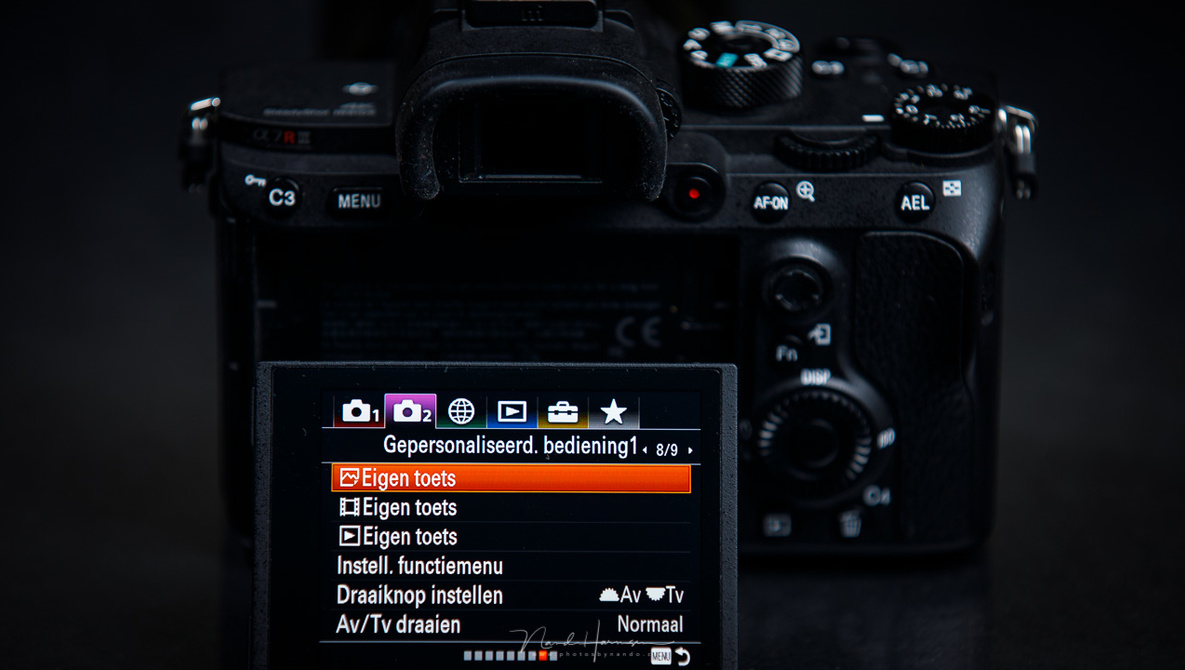
Did you know a lot of people use their camera without setting it up for their needs? If you have done this already, you may find nothing new in this article. If you don’t know what I am talking about, perhaps you should read it.
I see a lot beginning photographers in my workshops. Except one or two, no one has customized their camera for their own needs. Often, they don’t even know of the possibilities and they use the camera and settings just the way it came out of the box. Yes, a few have chosen the raw file format, and some settings that can be called obvious to change, like auto focus settings, meter settings, continues shooting, or the white balance. And, of course, the preferred PSAM setting. But that’s it.
When I ask for a certain setting to change, because it may help to shoot the subject of their choice, they search their menu and often get lost in the process. It is easy to overlook that one setting in that moment. And if they have found and changed it, the next time they need to change it back they forgot where they had found it. The more you use that function, the easier it gets, of course. But it can be so much easier when they make a much used menu item more accessible. Most cameras have that possibility.
The modern digital camera often can be considered as a computer, rather than a camera. Sure, it takes photos, but you can make all sorts of adjustments, settings, it even has a computer screen. The interface of that computer is not always that logical, or it can be overwhelming. When you need a few menu options a lot, you may need to dig in deep to find it, sometimes losing valuable time with a possibility to mis the moment. That is why you might want to program the most used menu options into a custom menu. This menu can be called IQ, or Q, or C, or just My Menu. And sometimes these can be a combination also, depending on the brand of camera. I like to have the LCD brightness setting in My Menu, the BULB timer, and highlight warning also. I use these menu options a lot and by gathering these into My Menu, it is easier and much quicker to change.
Some cameras have more advanced possibilities than others, giving much more flexibility or more room to combine different menu options into a personal tab. The modern Nikon can add a lot of menu options, making it a long list to scroll through. Canon can hold up to six menu items per tab but has the ability to make more than one tab into the My Menu. Sony is limited to only six options, and Fujifilm also has a limit to the amount of personal menu options.
Then there is the quick menu, found on almost every modern camera. Here you can gather another set of options that are accessible with the push of a button. It can be called the Q menu, or C menu, but no matter what name is linked to it, this menu gives another option to quickly change settings without diving into an extensive menu structure. Again, the possibilities may be limited to what the manufacturer has programed. Some quick menu options can be changed in almost everything, others have a selection that you can chose from.
You might also find a find a few custom settings on the PSAM wheel found on most cameras. These custom settings, named C1, C2, C3, or U1, U2, and U3, can hold a extensive configuration that is optimized for a certain kind of photography. I have set a configuration for moving animals under C3. With just one turn of the dial it will configure my camera for that kind of subjects. I have continues auto focus, the maximum amount of AF points, high speed continues shooting, shutter priority, auto-ISO, and I can choose any other camera option that I find suitable for that kind of photography. One of the other custom settings is programed for indoor flash photography with a speedlite. When I find myself in a situation where I need to switch between a whole different set of settings, I can program this into one of those custom setting. The funny thing is, I have placed the menu option “safe settings into C1, C2 or C3” into My Menu for easy access.
Last but not least, a lot of buttons of the modern cameras can be programed to another function. Some buttons can even have multiple functions. Especially Sony and Panasonic go very far in what is possible. This way you can reprogram the camera to your own liking. There is a small downside to this; you have to get used to the new functions, which may be different from the pictogram that is printed on or next to those buttons. And you likely will be the only one that will be able to operate that camera.
The personalization can go very far with modern cameras. It may help you switch between different settings, or a swift change of settings that otherwise will be difficult and time consuming to find into the extensive menu structure. Using the camera customization may also prevent you from getting familiar with menu. Well, not at first, but if you never need to dive into the menu, it might become again very troublesome to find that one setting you need to change.
Have you customized your camera? I would love to hear about your experience with this kind of customization in the comment below.