

Hello Windows Insiders, today we’re releasing Windows 10 Insider Preview Build 18975 (20H1) to Windows Insiders in the Fast ring.
IMPORTANT: As is normal with pre-release builds, these builds may contain bugs that might be painful for some. If you take this flight, you won’t be able to switch Slow or Release Preview rings without doing a clean-install on your PC.
If you want a complete look at what build is in which Insider ring, head over to Flight Hub. You can also check out the rest of our documentation here including a complete list of new features and updates that have gone out as part of Insider flights for the current development cycle.
Not seeing any of the features in this build? Check your Windows Insider Settings to make sure you’re on the Fast ring. Submit feedback here to let us know if things weren’t working the way you expected.
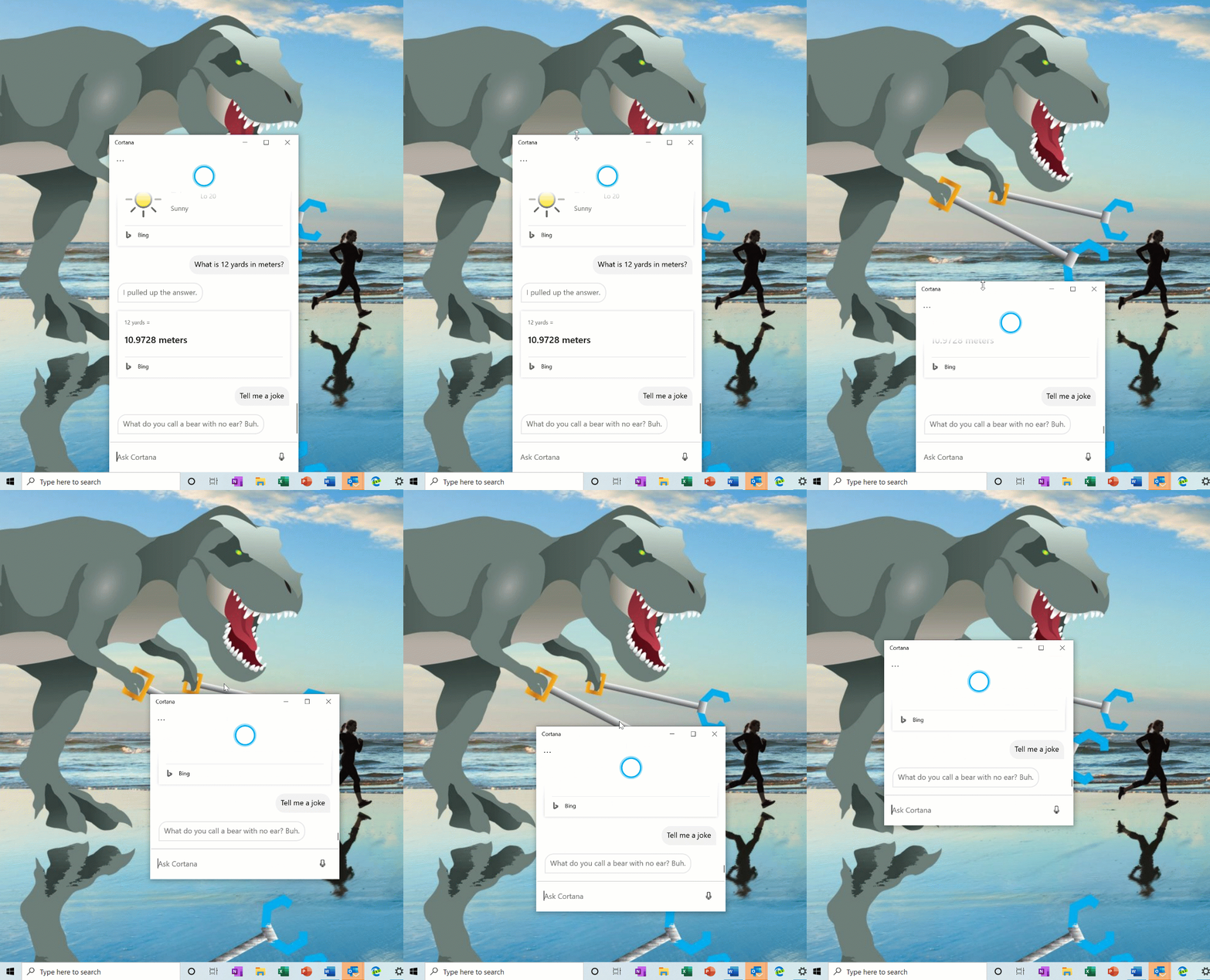
Introducing the ability to move the Cortana window
With the new conversational Cortana experience, we understand that you wanna keep the chat going sometimes, and the default position of the window isn’t always where you’d prefer to have it docked if you’re going to have a longer back and forth. That’s why we’re starting to roll out the option to be able to move the window (by dragging the title bar area), to anywhere you’d like on the screen–just like you can with other windows. You can also resize the window if you’d like. Currently, this change is rolled out to 50% of Insiders with the new Cortana experience, and we’ll continue the rollout as we validate the quality of the experience.

Windows Subsystem for Linux (WSL) Improvements
See the latest improvements with WSL in the latest Insider Preview builds.
Announcing the first preview and code release of PowerToys
Yesterday we announced the first preview and code release of PowerToys for Windows 10. This first preview includes two utilities: the Windows key shortcut guide and a window manager called FancyZones. Check out this article for all the details!

Update on Virtual Desktop renaming
The ability to rename your virtual desktops is now available for all Insiders in the Fast ring! Thanks again everyone who shared feedback requesting this.
To get started:
- Open Task View by selecting the Task View icon in the taskbar or pressing WIN+Tab.
- Select New Desktop.
- Select the desktop name (“Desktop 1”) and it should become editable, or right click the desktop thumbnail and a context menu will appear with a Rename entry.
- Input whatever name you’d like, and press enter.
- Done!

- The Reset this PC cloud download option is not currently calculating the correct amount of space you need to free up if you do not have enough disk space to proceed. To work around this until the fix is available, free up an extra 5GB beyond what is prompted.
- The Reset this PC cloud download option is not currently working when specific optional features are installed. The process will begin, but an error will occur and roll back the changes. To work around this issue, remove the optional features before trying the cloud download option. We’ll let you know once this issue has been resolved. The optional features are: EMS and SAC Toolset for Windows 10, IrDA infrared, Print Management Console, RAS Connection Manager Administration Kit (CMAK), RIP Listener, all RSAT tools, Simple Network Management Protocol (SNMP), Windows Fax and Scan, Windows Storage Management, Wireless Display, and WI SNMP Provider.
- There has been an issue with older versions of anti-cheat software used with games where after updating to the latest 19H1 Insider Preview builds may cause PCs to experience crashes. We are working with partners on getting their software updated with a fix, and most games have released patches to prevent PCs from experiencing this issue. To minimize the chance of running into this issue, please make sure you are running the latest version of your games before attempting to update the operating system. We are also working with anti-cheat and game developers to resolve similar issues that may arise with the 20H1 Insider Preview builds and will work to minimize the likelihood of these issues in the future.
- Some Realtek SD card readers are not functioning properly. We are investigating the issue.
- Some Insiders may experience a deadlock in netprofmsvc.dll on Builds 18967+. This can result in the upgrade to the build freezing at 98%, or if you’re on the build already you may find that various aspects of the system unexpectedly freeze and become unresponsive. We appreciate your patience as we work on a fix.
- We are looking into an issue where, after updating to this build, adding a new Language Pack reports successful installation but is not installed.
- There is an issue with this build where certain Local Experience Packs (LXPs) may revert to English. We are working on a fix.
- Certain 2D apps (like Feedback Hub, Microsoft Store, 3D Viewer) are incorrectly being treated as having protected content within Windows Mixed Reality. During video capture, these 2D apps block their content from being recorded.
- When capturing a repro video while filing a bug via Feedback Hub in Windows Mixed Reality, you won’t be able to select Stop video, due to the protected content issue noted above. If you want to submit a repro video, you will need to wait 5 minutes for the recording to time out. If you’d like to file the bug without a repro video, you can close the Feedback Hub window to end the recording and resume filing your bug when you reopen the app in Feedback > Drafts.
We’re planning to run this bug bash from September 25th to Oct 2nd –we’ll have more details to share closer to the date.
Learn more with Bing. Use Bing to explore the probability of different outcomes when rolling dice. Need to get your math skills back in shape? The geometry calculator on Bing makes geometric equations easy. Simply choose a shape, input what you know, pick what to solve for, and get the answer!
If you want to be among the first to learn about these Bing features, join our Bing Insider Program.
No downtime for Hustle-As-A-Service,
Dona <3