

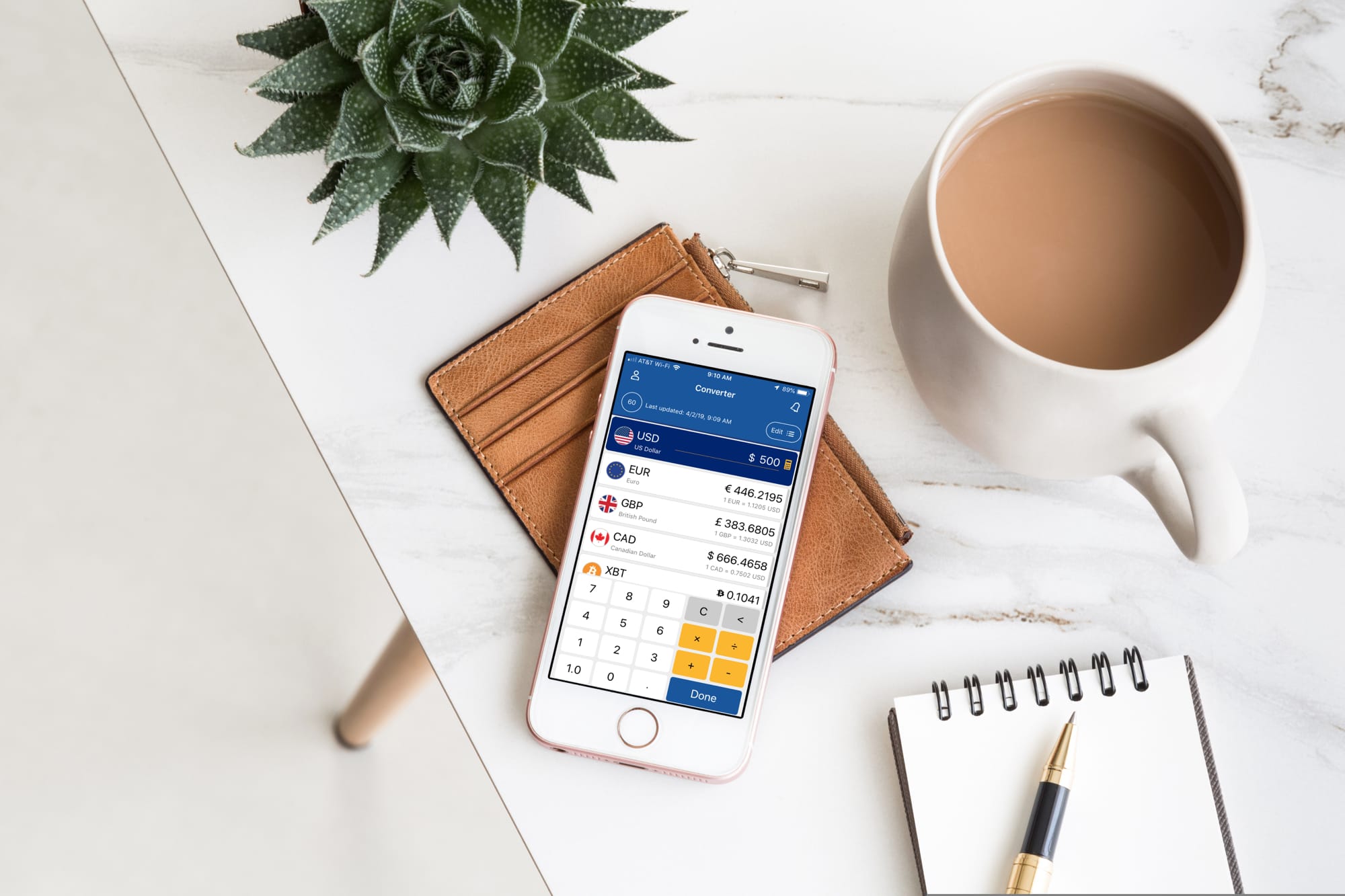
Whether you’re taking a trip abroad or need to know the
exchange rate for business, a currency converter for your iOS device can come
in super handy.
To help you out on your search, we’ve scoured the App Store
for the best currency converter apps for iPhone and iPad that don’t cost a
dime, peso, or euro.
My Currency Converter & Rates
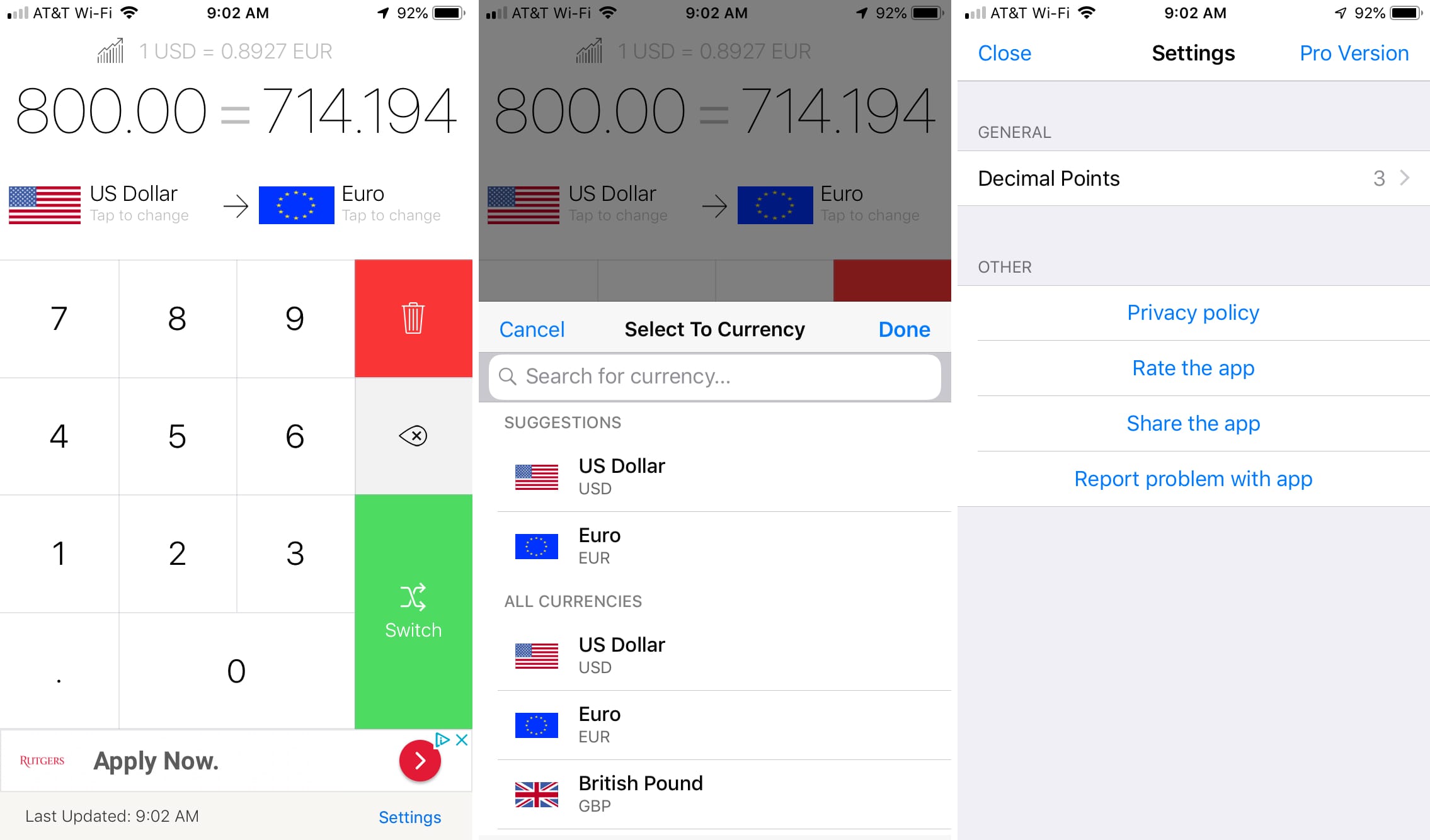
My Currency Converter & Rates offers a nice currency
converter that’s clean and clear.
My Currency Converter & Rates extra features:
- Switch between To and From currencies you’re
converting with a tap. - Choose from 150 currency types that include
cryptocurrency. - Adjust settings for the number of decimal points.
If you are looking for a simple currency converter that has
the currencies you need and an intuitive interface, then check out My Currency
Converter & Rates.
- Availability: iPhone and iPad
- Cost: Free with a Pro version that removes the ads.
Currency
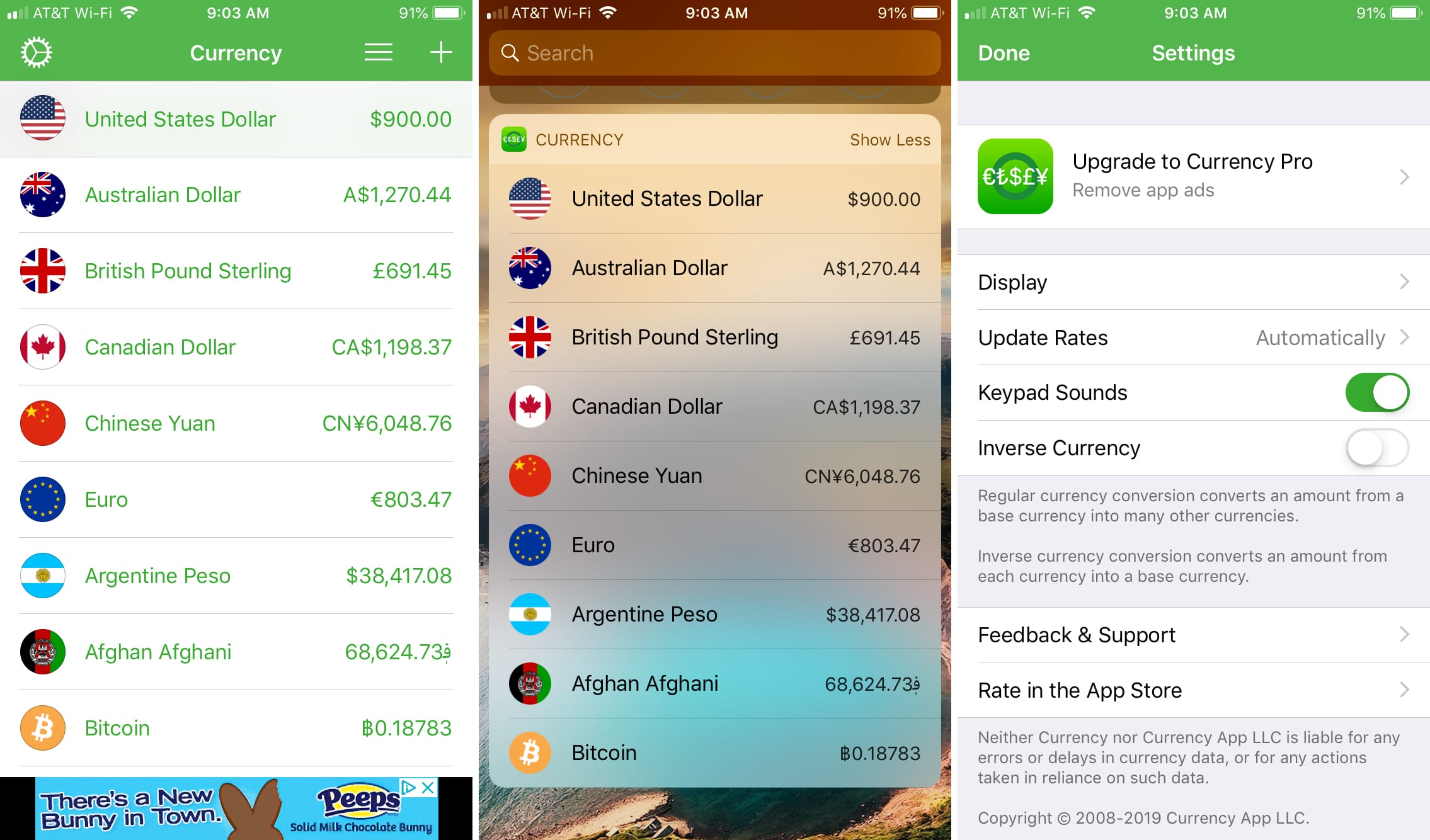
Currency is another simple converter offering exchanges
rates for 150 currencies that include cryptocurrency.
Currency extra features:
- Add currencies to the list and enter an amount
to convert for any of them. - Rearrange the order for the currencies in your
list. - Use the Today Screen widget for a quick look at
your conversion. - Adjust settings for themes, text, flag size,
decimals, update rates, and inverse currency.
If you want the ability to do regular currency conversions
along with inverse currency conversions, then Currency is for you.
- Availability: iPhone, iPad, Apple Watch, and Android
- Cost: Free with a Pro version in-app purchase that removes the ads.
Currency Converter +Conversion
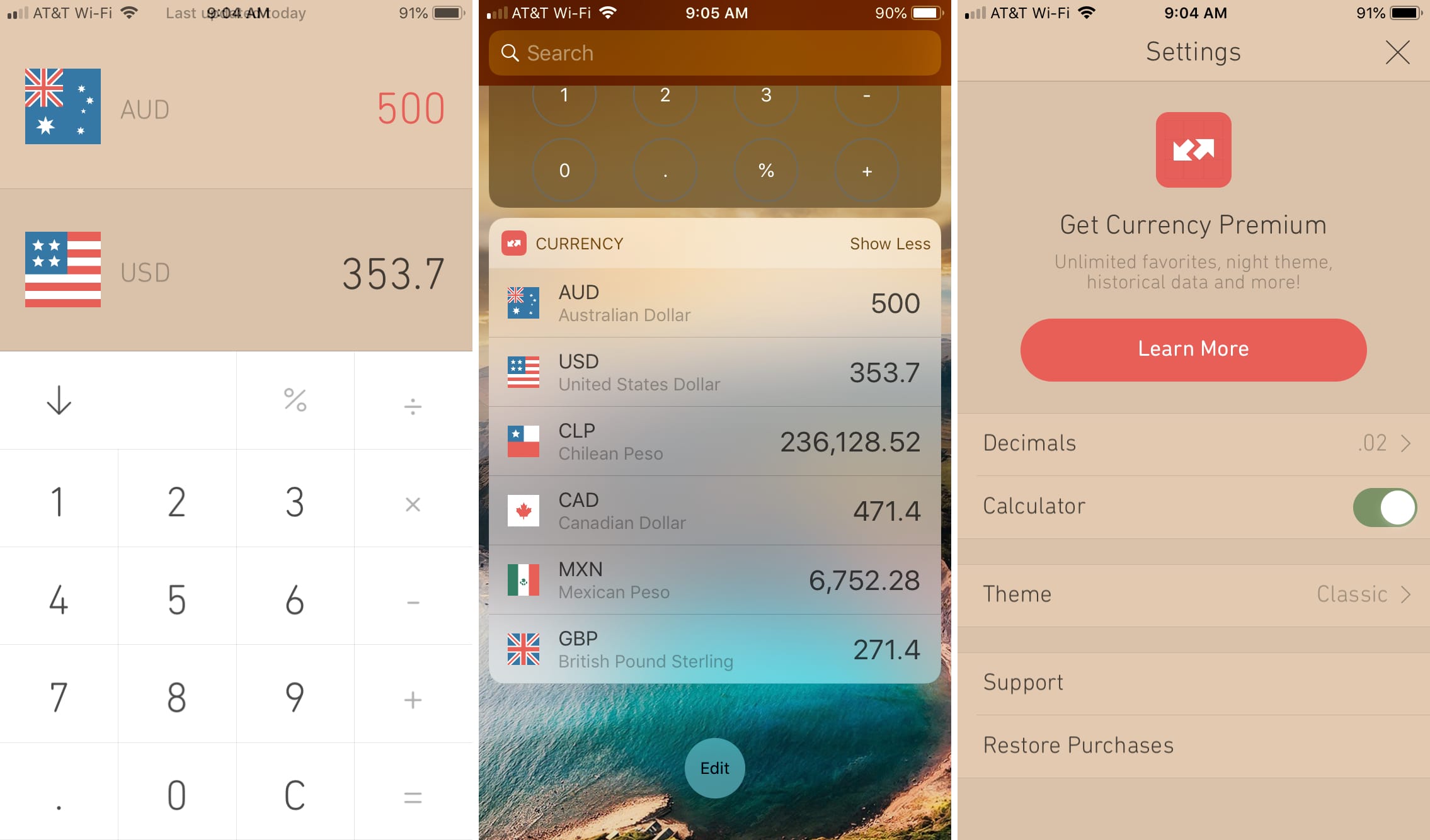
Currency Converter +Conversion is another good app that lets
you pick five favorite currencies and see the conversions for them all
immediately.
Currency Converter +Conversion extra features:
- View a six-month historical graph of currency
rates for your top two currencies. - Switch between To and From currencies in your
list with a tap. - Use the Today Screen widget for a fast look at
your conversion. - Adjust settings for the number of decimal points
and app theme.
For easy and clear currency conversions that you can switch
between quickly, take a look at Currency Converter +Conversion.
- Availability: iPhone and Apple Watch
- Cost: Free with a Pro version in-app purchase that removes the ads, gives you unlimited favorites, and unlocks themes.
XE Currency
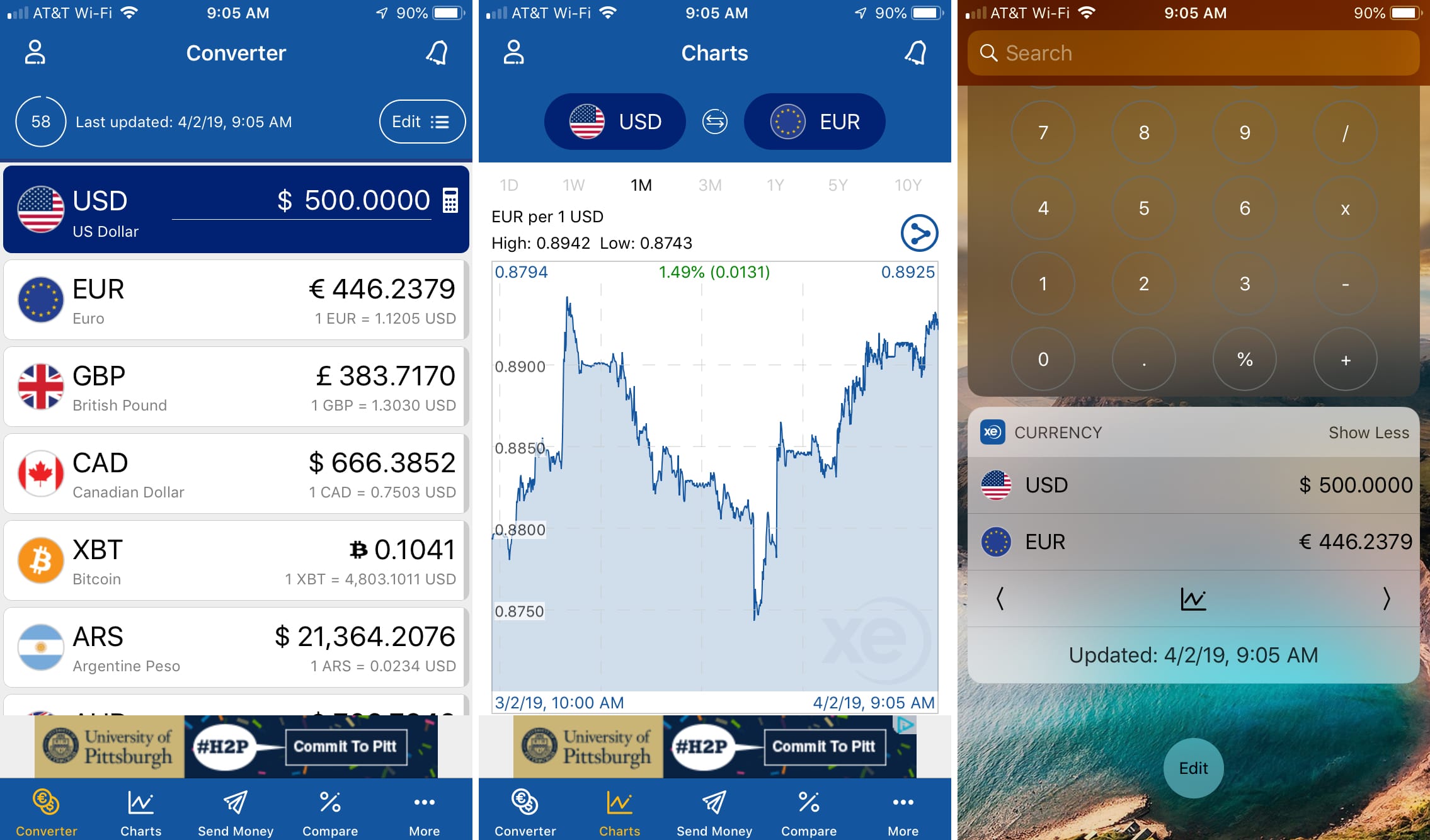
XE Currency offers an easy-to-use currency converter along
with some terrific bonus features for the international financial market.
XE Currency extra features:
- Perform conversions for up to 10 currencies at
once. - View historical financial charts with highs and
lows of the currencies you choose. - Check market analysis, news, and commentary from
XE. - Use the Today Screen widget for a quick glance
at your conversion. - Adjust settings for decimals, auto update
timing, and shake to reset the amount.
If you need an app that goes beyond just currency
conversions and gives you more for the financial market, then XE Currency is
the app you want.
- Availability: iPhone, iPad, iMessage, Apple Watch, and the web
- Cost: Free with a Pro version that includes conversions of 20 currencies and rate alerts.
Currency Converter & Exchange
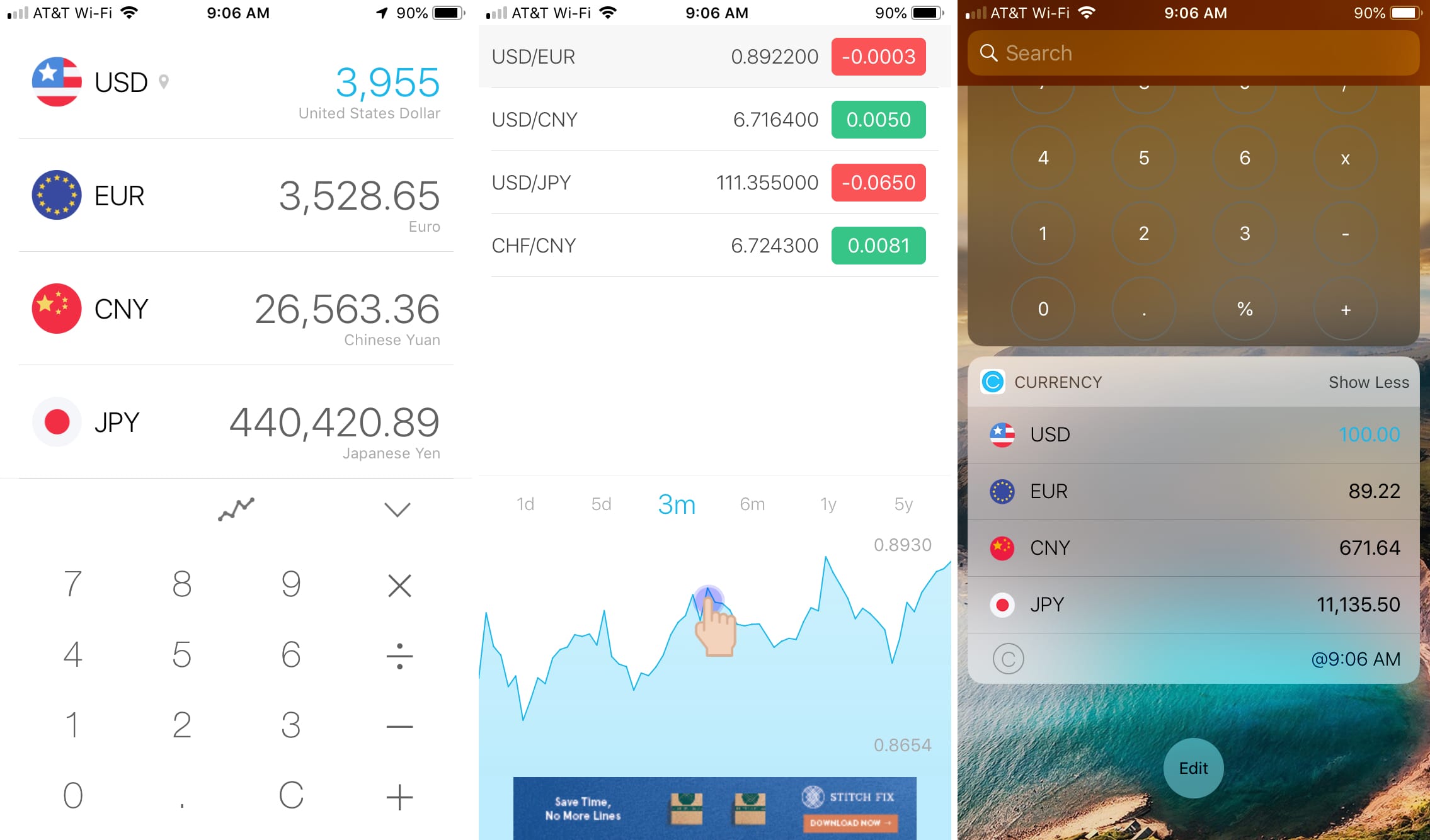
Currency Converter & Exchange is a slick little app that
you navigate with gestures which makes performing conversions and getting
exchange data easy.
Currency Converter & Exchange extra features:
- Get conversions for up to four currencies at once.
- Check out the historical chart for your
currencies from one day to five years. - View highs and lows two of the currencies you
choose. - Use the Today Screen widget for a quick view of your
conversion. - Add Siri Shortcuts for opening the historical
chart or rates list.
If you want an attractive app that lets you swipe your way
to conversions and financial data, you’ll like Currency Converter &
Exchange.
- Availability: iPhone, iPad, and Apple Watch
- Cost: Free with a Pro version in-app purchase that removes the ads, gives you a Safari converter, and unlocks themes and additional settings.
GlobeConvert Currency & Units
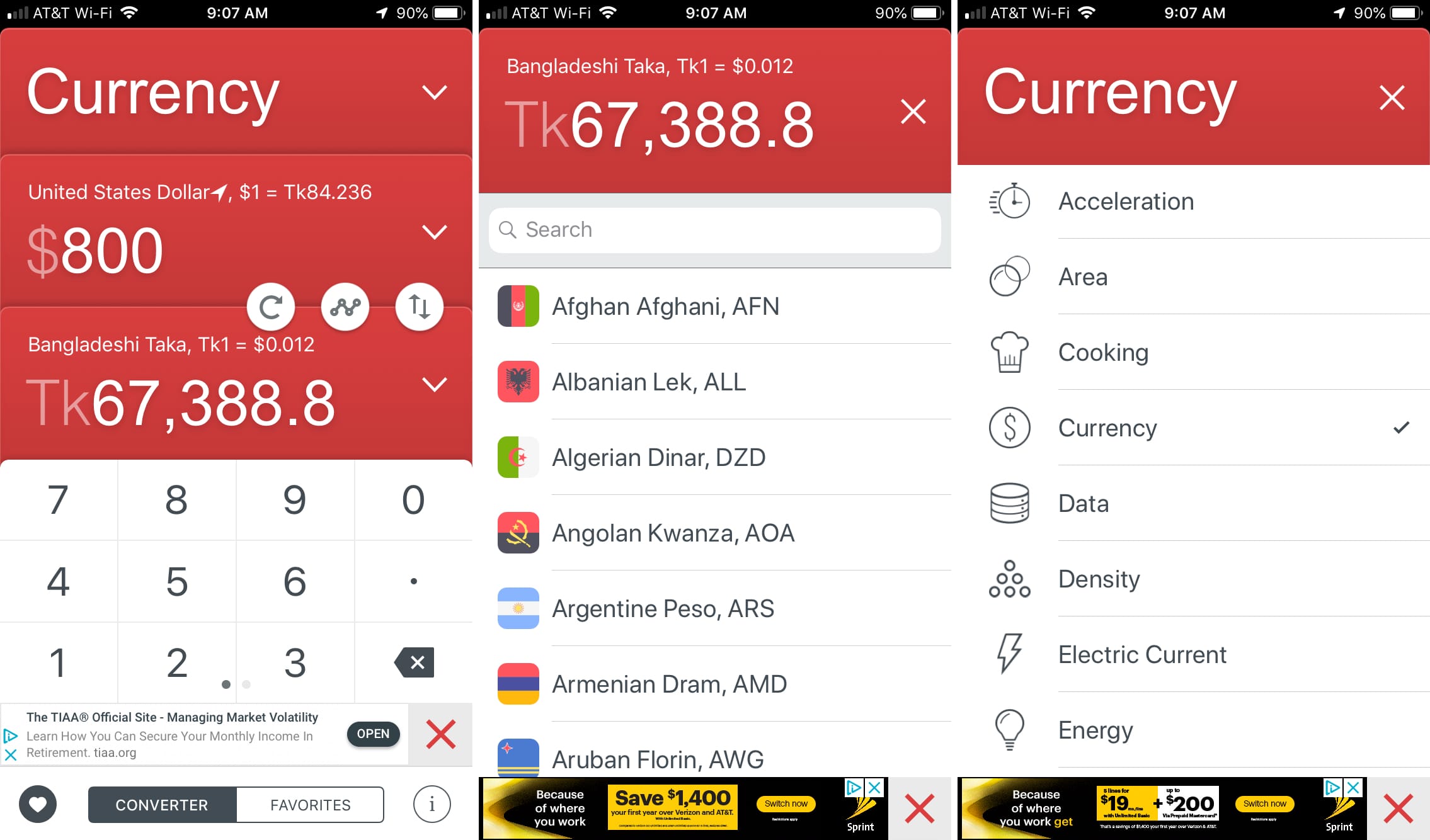
One more currency converter that’s worth trying out is GlobeConvert
Currency & Units. This handy app offers more than currency conversions. You
can convert area, density, length, pressure, and much more.
GlobeConvert Currency & Units extra features:
- Choose a To and From currency and switch between
them with a tap. - Add favorites for conversions that you need to
perform often. - Select from over 20 additional conversion types
for cooking, working, and research. - Get real-time and location-based currencies.
If you want more to convert more than just currencies, GlobeConvert
Currency & Units lets you do it all in one simple app.
- Availability: iPhone and iPad
- Cost: Free with a Pro version in-app purchase that removes the ads and unlocks themes.
Wrapping it up
Whether you want a simple currency converter, one with financial
data, or one that converts more than currencies, these options have you
covered. Do you already use one of these currency converter apps for iPhone and
iPad or do you prefer a different free one that you’d like to recommend? Let us
know!
And, be sure to check out some of our other app lists while you’re here.