

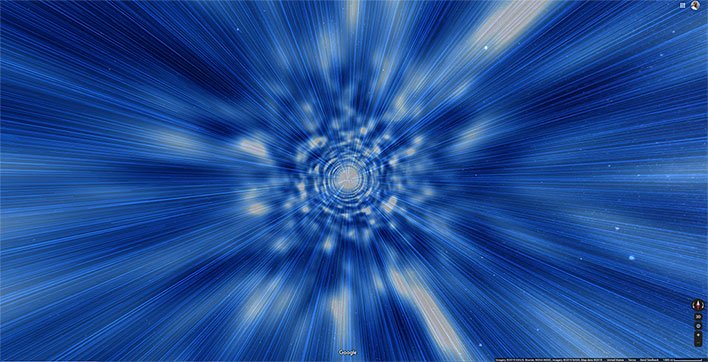

The feature was brought to attention by Reddit user CNCK, who posted this nifty animation…
The space feature in Maps lets you navigate to different planets, without the hassle of going through years of education and being accepted into NASA’s space program. There is a list of various planets and moons you can hop between, as well as the International Space Station, which is truly a cool thing to explore.
How To Experience Hyperdrive In Google Maps

- Navigate to Google Maps
- Click on the Satellite icon in the lower-left corner of the browser
- Click on the Globe View icon in the lower-right corner (if it’s not enabled already)
- Zoom all the way out (use your mouse’s scroll wheel or press the minus button a bunch of times)
At this point, you should see Earth in the center and a list of planets, moons, ISS in the menu on the left. Just click on any locations that are of interest and buckle yourself up for hyperdrive!
‘).insertAfter(jQuery(‘#initdisqus’));
}
loadDisqus(jQuery(‘#initdisqus’), disqus_identifier, url);
}
else {
setTimeout(function () { disqusDefer(); }, 50);
}
}
disqusDefer();
function loadDisqus(source, identifier, url) {
if (jQuery(“#disqus_thread”).length) {
jQuery(“#disqus_thread”).remove();
}
jQuery(‘
‘).insertAfter(source);
if (window.DISQUS) {
DISQUS.reset({
reload: true,
config: function () {
this.page.identifier = identifier;
this.page.url = url;
}
});
} else {
//insert a wrapper in HTML after the relevant “show comments” link
disqus_identifier = identifier; //set the identifier argument
disqus_url = url; //set the permalink argument
//append the Disqus embed script to HTML
var dsq = document.createElement(‘script’); dsq.type = ‘text/javascript’; dsq.async = true;
dsq.src = ‘https://’ + disqus_shortname + ‘.disqus.com/embed.js’;
jQuery(‘head’).append(dsq);
}
jQuery(‘.show-disqus’).show();
source.hide();
};
function disqusEvent()
{
idleTime = 0;
}