

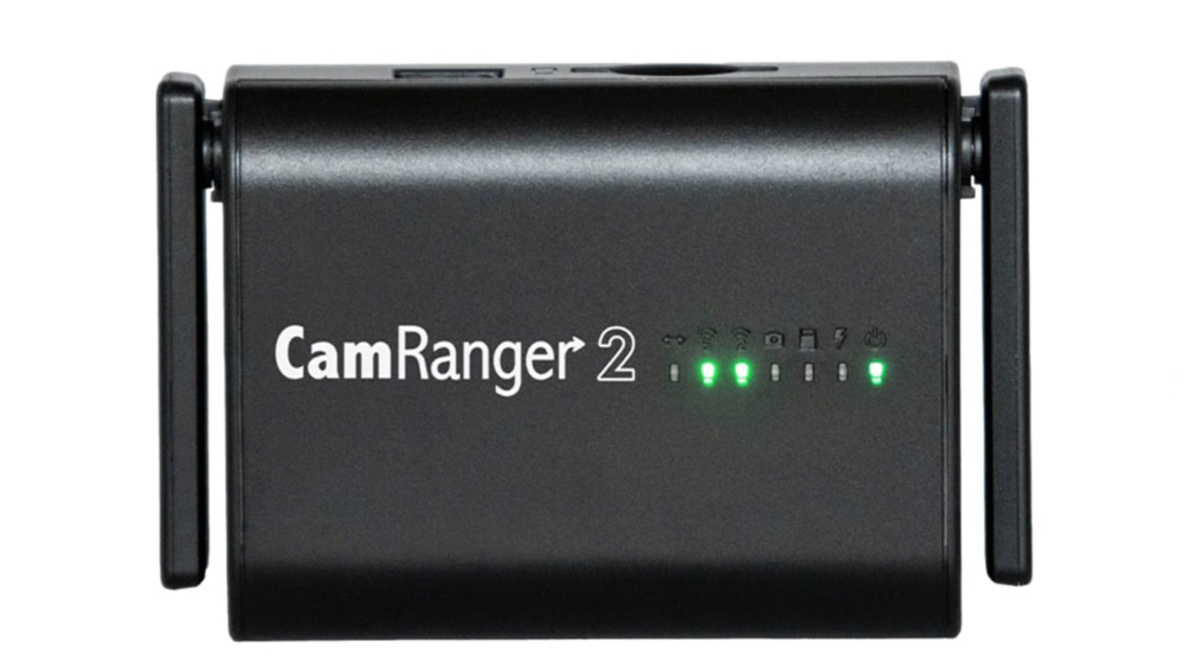
Earlier this year, I wrote a review of the CamRanger Mini. As I mentioned in my article, I was looking for a way to remotely trigger my camera when I can’t be located in a particular area for the action sports I shoot. I found the CamRanger Mini was a terrific device for remotely controlling a camera, but for me, I needed a little faster reaction time. So, now that the CamRanger2 has been released, will it satisfy my demanding needs?
As I concluded in my previous article: “If you are like me and are looking for more range and speed, you might want to hold off to see how the CamRanger 2 performs.” So, when I got the opportunity to review the new CamRanger 2, I couldn’t wait to test the manufacturer’s claims of greater range and higher connection speeds.
The CamRanger 2 is the third CamRanger product for remotely controlling your camera. The original CamRanger was released in September 2012, while the second product, the CamRanger Mini, was released in August 2018. I never used the original CamRanger, so I can’t compare how the latest unit compares to the original. Still, according to the manufacturer’s website, the new version is five times faster and has a range three times greater when compared to the original CamRanger. As far as compared to the Mini, the speed is two times faster, and the range has increased by 25 percent to 500 feet.
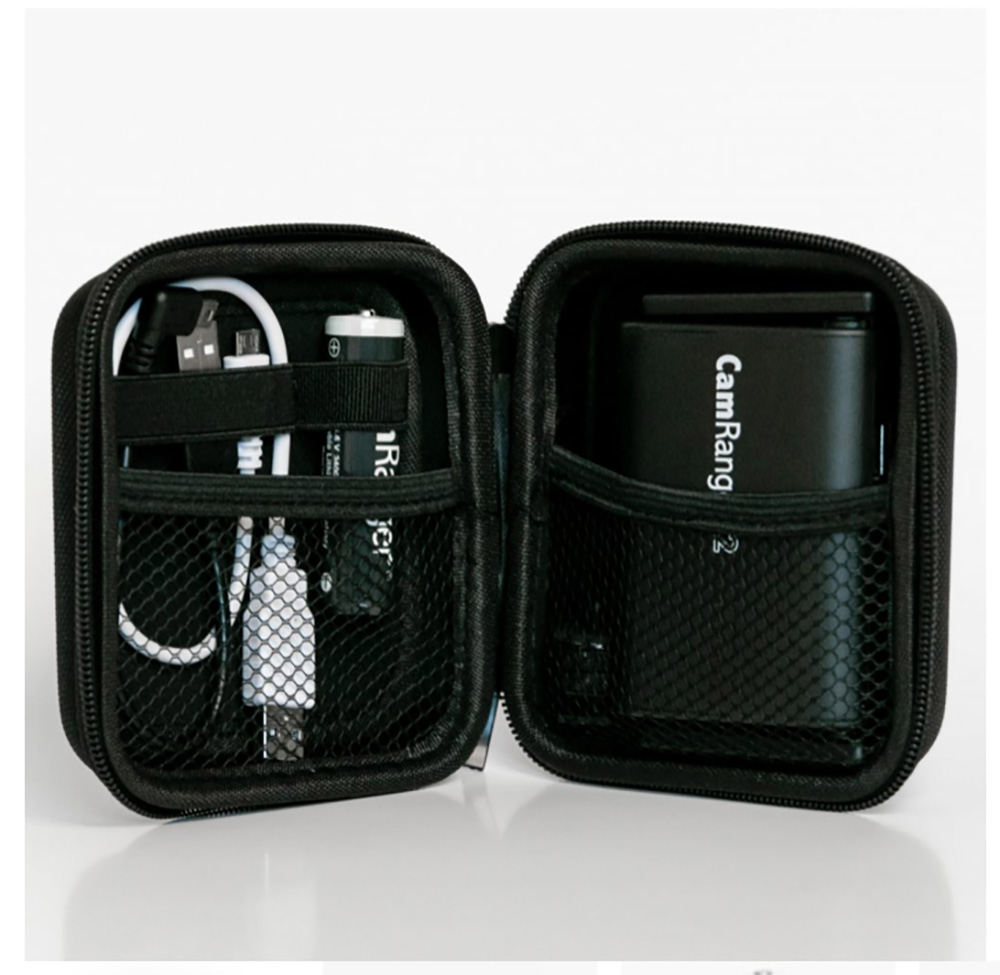
The unit comes in a very nice hardshell container. While the case may be overlooked by photographers who will primarily use the unit in a studio, for other photographers who will use the unit out in the wild like me, this hardshell case is appreciated. Obviously, this case helps to protect the unit when not in use, but it also contains all the other hardware that comes with the unit, which includes one battery, a Micro USB charging cable, a USB camera connection cable, a hot shoe mount, and of course, a quick start guide. It did not include the nice little carabiner that the Mini’s case had. This small package is excellent for keeping everything together and makes it simple for me to throw everything I need in my travel bags in one shot.
New Features
- Fujifilm and Sony compatibility (not available in older models)
- Built-in SD card slot (SD/SDHC/SDXC card compatibility)
- 500 ft range (150 ft in original and 400 ft in Mini)
- 300 Mbps 802.11n 2.4 GHz network (60 Mbps throughput)
- 433 Mbps 802.11ac 5 GHz network (180 Mbps throughput)
- Bridge into existing WiFi networks
- Approximately 5 hrs battery life (5-6 in original, 3 in Mini)
- Replaceable 3,300 mAh Lithium-Ion battery (2,000 mAh in original and internal 1,800 mAH in Mini)
- Charge in device with USB micro: 5V 2A, or with an external charger
The CamRanger also has released a new app that features:
- Barcode scanner workflow (iOS and Android)
- Photobooth app (iOS)
- Auto share/save/transfer images
- Social media upload (iOS and Android)
- Edit and crop images (iOS)
- Image comparison (iOS)
- Multiple camera control (MacOS and Windows)
CamRanger does a beautiful job of making products that are easy to use right out of the box, and the newest unit is no different. After the required initial charge of the battery, the setup using the new app was straightforward and extremely simple. Like the initial setup, the CamRanger2 app is laid out in a way that is very intuitive and easy to use. To me, this is very important, as I don’t want to be out in the field during a shoot and have to be thinking about how I make changes to the camera. I want it to be straightforward, and to me, the app was. However, if you ever do need clarification of how to use the unit or app, the app contains an owner’s manual that can be accessed offline.

Let me expand on a few of the things I liked about the CamRanger2. First are the range and speed, which were the two things I didn’t care for with the Mini. I admit that my expectations for the Mini where somewhat unreasonably high because of my needs. For me, the CamRanger2 has met those high requirements. When I tested the unit for the range, I was able to get consistent speed and control at the 400 to 500-foot range with the 2.4 GHz network. The 5GHz gave me less range, yet that is a fact with any 5 GHz network. The speed was good with the 2.4 GHz network and even better with the 5 GHz network.
I don’t recall if I missed it in the earlier CamRanger apps, and if I did, it was my fault, but I do like the preset camera settings library. I find this function to be very useful out in the field, as I can get different styles of images with only a few taps of the screen on my iPad. To me, this is a money-making feature, as it increases the number of different styles of images I can potentially sell to my client.
Uploading content to social media as an event is happening is now the standard for photographers. The CamRanger 2 not only lets me upload to social media, it also permits me to upload to FTP without using the CamRanger 2 app. This might not be an issue for non-professionals, but if you are shooting sports professionally, this is crucial and a much-appreciated addition.
Saving files to the unit’s SD card is another feature that I appreciate. It gives me one more means of having backups of my images. With numerous cameras like the Nikon Z 6 only having one card slot, this feature of the CamRanger 2 is welcomed.
What I Liked
- Ease of setup and use
- Build quality
- The ability to control almost any camera setting that I would need while shooting
- Ability to bridge into existing Wi-Fi networks
- Select and rate images from within the app
- Integration with Mac and Windows
- Ability to save files to the unit’s SD card
- The ability to auto-share, save, and transfer images
- Ability to upload to social media
- Image comparison
- Better transfer speed
- Improved range
What I Didn’t Like
I honestly can say that there wasn’t anything that I did not like about the unit. If I had to say anything, it would be the size, yet that isn’t really even an issue.
Conclusion
So, at $350, the CamRanger 2 is not an inexpensive piece of equipment. However, for that price, I feel that the purchaser is getting a piece of hardware and software that does what it is supposed to do and functions as the manufacturer advertises. Is it something every photographer needs? No. But if you do need a remote to control your camera, it is worth considering.