

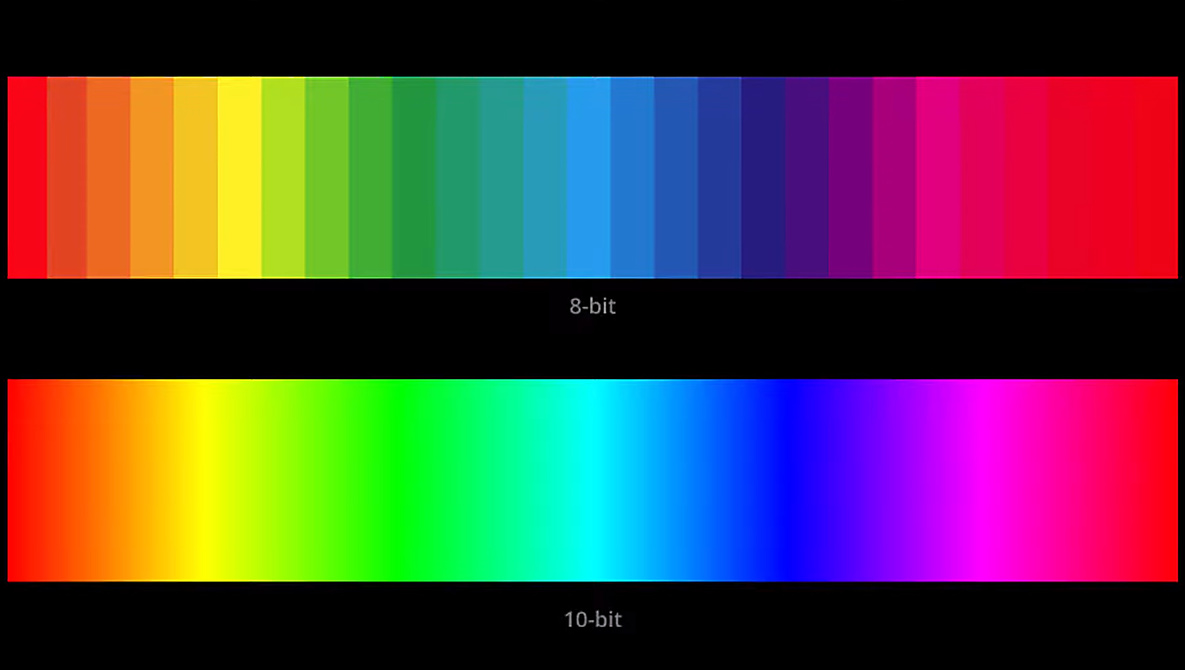
Bit depth is one of those camera specs that is confusing for a lot of newer and even some experienced photographers. From capture, to file format, and even editing mode, this video gives a quick introduction to what bit depth is.
Bit depth refers to the amount of color information represented in an image. At its basic level, a 1-bit image would only be able to show black and white. Higher bits are capable of showing color information, and the higher the bit depth, the more colors can be displayed. Currently, most cameras are capable of recording anywhere from 8-bit to 16-bit. So obviously, we want a camera that can shoot at the highest bit depth available right? Well, it gets a bit more complicated than that.
In this video, Matt Granger asks the question: does bit depth even matter? Granger starts off doing a great job breaking down just what bit depth is, how cameras use this information to display color in images, and how bit depth is displayed in various file formats. He then goes on to point out how most images are displayed on the internet as 8-bit JPEGs, while most monitors are only capable of displaying 8 to 10 bits.
It is in raw file editing that higher bits become important. If you were to take a 16-bit image and convert it to 8-bit, typically, the average person won’t see a difference. Most people will have trouble seeing any difference in gradation above 10 bits, so unless pixel-peeping 8-bit gets the job done. However, when you take that converted 16-bit to 8-bit image and start to bring up the shadows or pull down the highlights, you may start to see noticeable gradation. That’s why even though you will most likely export your final images as 8-bit JPEGs, you want to do your edits in a higher bit depth whenever possible to give you the best leeway in those edits. Of course, how drastic your edits are and how much you try to push those edits will vary from person to person. Even when editing, a lot of photographers probably wouldn’t see much of a benefit from high-bit-depth editing if those edits are basic adjustments.
So, what does your workflow look like, and how does bit depth affect your images?