

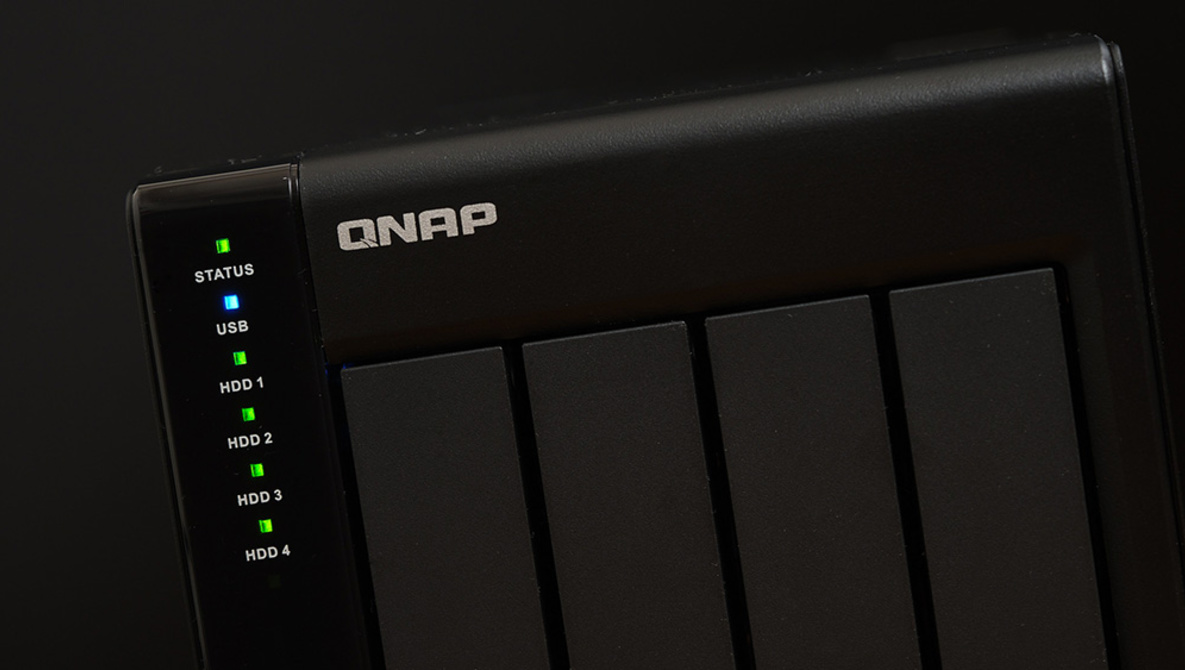
As creatives, finding a cost and time-efficient way to keep our files safe is possibly one of our more mundane but necessary tasks. For years, I have been purchasing hard drives and running my backups manually for the most part with Backblaze being used for off-site backups. As my archive grew, however, this became cumbersome. After much searching, I settled on the QNAP TR-004 as my new solution and I’d like to share my experience with you today.
This article began its life as a review of the QNAP TR-004, but quickly descended into a specsheet. So, rather than doing that I decided to walk you through the problem I had and how I solved it with this unit. So far it’s been a great investment and a simple solution to my archiving and backup needs. I hope that this will be a rundown that can be useful to others in a position of looking for a more robust solution for their data storage.
The Problem
To give you a quick rundown if you don’t fancy reading the full linked article above, until now my process has involved local drives with a second copy being made using FreeFileSync, an excellent fully manual way to synchronize data in Windows. From there, my first set of drives were backed up to Backblaze meaning that I had a redundant local copy and an offsite backup of everything. This was all done using a simple two-bay toaster. This process was fine until the amount of data grew so much that maintaining it became a job that took up at least one day of my month (ensuring each drive was synchronized locally and then checking in with Backblaze to ensure the data was still backed up). It was a solid system in the beginning, but it did not scale well.
So, I started making a list of what I wanted to change about this solution. My requirements were as follows:
- A single large capacity device that can run permanently
- Streamline my archive and backup process
- Should be fast and reliable
I wanted something that would be on all the time and accessible at a moment’s notice without having to search through a box of drives every time I needed to find something more than a year or two old. With these things in mind, I knew I’d be looking to a RAID solution, but it had been so long since I set anything like this up, I was a little out of the loop.
The First Solution
I began my search looking at NAS solutions with dreams of having my own server. Fantasies flicked through my mind of being able to show clients my back catalog from my phone and access all my data from anywhere in the world. I quickly realized, though, that those were situations I’d rarely, if ever, find myself in and weren’t really features I needed to pay for. I also didn’t need simultaneous access to my data from multiple computers.
The final nail in the NAS coffin for me was that I’d need to switch my Backblaze account to their B2 solution which would mean re-uploading all my data and approximately a $1200 upfront fee for that transfer. I decided a simpler solution would be in order. As a home business, that’s an additional cost and process that, if possible, would be better to avoid for me. In the end, a NAS was overkill for my current needs and budget.
The Second Solution
Since I wouldn’t need a media server or access from multiple machines at the same time, I began looking into dedicated RAID enclosures. With our options being quite limited here in Korea, I quickly started looking internationally for better solutions. It wasn’t long before I came across the four-bay QNAP TR-004 with its hardware RAID controller. I spoke with their people at a tradeshow a few years ago and tested out their various NAS offerings on site. I recalled appreciating their dedication to a solid, no-frills product. So, I did a little further research and discovered that this enclosure checked off every requirement I had and would be expandable in the sense that it could directly connect to a QNAP NAS should I ever decide to go that route.
The couple of major benefits I saw in the QNAP TR-004 over other RAID enclosures were to be found in its hardware RAID controller and the software suite (which can be used to remotely switch RAID modes on the controller as well as monitor vitals). Also, having a standard USB connector means that the device acts as a simple external drive unless you connect it to a QNAP NAS. This connection gives two benefits. The first is that it can be backed up using the Backblaze standard plan (cheaper backups and I could maintain my existing uploads – time and money saved) and that it can be used with any other computer if needed simply by connecting that cable.
I have populated the four bays with 8TB Western Digital Red drives (these allow me to run it all the time quietly, efficiently, and without too much noise or vibration). The next step was to create a RAID so I could fulfill my goal of having a single large drive for backup. I decided on RAID 5 as I would have a level of redundancy that was cost-effective and reasonably safe. Should an unlikely catastrophic failure occur, the whole unit would be backed up on Backblaze servers anyway. So, this was a cost-effective solution. QNAP’s software monitors the health of the RAID as well as the health of individual disks by pinging them for S.M.A.R.T. information at an interval you can set and warning you of any changes or errors in real-time.

An Additional Benefit
One of the other reasons I wanted to get a device like this was to give myself an excuse to slowly go back through my archive and remove unneeded files. You see, I’m somewhat of a “what if” person. What if a client asks for this file? What if I decide to teach using this image or write a blog about the process of making it. The truth is, I don’t need all my test shots, duplicates, additional expressions, etc. to do that. So, I’ve taken on the momentous task of deleting images that will never be used and moving from Lightroom to Capture One completely.
In Conclusion
This whole process has been extremely smooth and I commend QNAP for an excellent device that keeps the simple options open to small businesses that may not need the full capabilities of a NAS. If you’re looking at expanding your local storage but are not ready to go with a full NAS solution just yet, this could be the gateway drug you’ve been looking for. Check out the QNAP TR-004 for yourself to see if it would be a valid solution for your needs.